
• Home
  • About
  • Webdancers
  • Contact

GregFalken.com

Thoughts on humanizing technology

  • Technology
  • At Home
  • Music and the Arts
  • Education
  • Notes

Award Winners of 2009

December 25, 2009 By Greg Falken Leave a Comment

The WinnerI got an email yesterday from Dropbox, the file sharing service, asking me to vote for them at the Crunchies. This is a program that I use every day and find very helpful, so I obliged them and while there, I voted in a few other categories. Here then, is a list of the programs that were worth my vote and that I can wholeheartedly recommend.

Dropbox

This drop-dead simple service allows for the synchronization of files between multiple computers. It uses software running on each computer to detect when files in the “dropbox” folder have changed and reflects those changes to an online server. Any other computers connected to this account will reflect the server changes in their own dropbox folder.

Favorite use: Designate a “public” folder to store all the PDFs, slideshows, videos, etc. that I want to make available for public consumption. Each is given a public URL that can be used as-is or shortened using a URL shortener like bit.ly.

Find at: https://www.dropbox.com/

Google Chrome

The Chrome browser satisfies my need for speed. Program load time, page load time, online applications, all are noticeably snappier than the other browsers that I have available. Now that extensions are available (provided you are on Windows), it’s a viable alternative to Firefox or IE. Be warned however, that it’s still a very new and somewhat unfinished product. I haven’t yet recommended it to my mother.

Favorite use: Running other Google applications. Gmail, Google Docs, Calendar, etc. feel like they’re running locally, rather than in the cloud. I also really like that the search bar and the address bar are one and the same. Whatever you need, just type.

Find at: http://www.google.com/chrome

Google Docs

Word processor, spreadsheet, presentations; these are the big 3 document production applications. Most people have had them on their computer, in one form or another, since the 80s. Moving them online however, brings them into the 21st century. For anyone who works on more than one computer, the benefit of centrally located and sharable documents far outweighs the (mostly minor) feature limitations of Google Docs.

Favorite use: The shared grocery list that my wife and I update throughout the week and then print out to take to the store.

Find at: http://docs.google.com

Aardvark

Aardvark is a question and answer application that communicates via web, IM, email, Twitter, or iPhone. Ask a question and you’ll begin receiving answers from real people within minutes. Tell them your areas of expertise and from time to time the system will ask you to answer specific questions submitted by others. The IM interface (which is what I use) is especially friendlyand understands responses like “accept”, “busy” or “pass”.

Favorite use: It feels great when you’ve taken a few minutes out of your day to successfully answer someone’s question. They are usually very appreciative.

Find at: http://vark.com

Twitter

Easy but not simple. Broadcast 140 characters at a time to anyone who cares to listen. Twitter is such an elusive thing that I’ll drag out my party analogy: Think of Twitter like a crowded party. The conversations flow around you and you can choose which ones to focus on and where to join in. If you’ve chosen your party (the people you’re following) well, this can be both entertaining and informative. If you’re at a party with a lot of obnoxious drunks…well, that can be less pleasant. Remember, you get to choose who you follow. If someone follows you and you don’t follow them back, it’s like they don’t exist. If you follow someone who you later decide to un-follow, they’ll get over it.

Favorite use: I still get a thrill when I’m retweeted (“you like me…you really like me”).

Find at: http://twitter.com

Photo by Stuart Caie
Technology Tagged: Aardvark, Chrome, Dropbox, Google Docs, twitter

For Better Content, Go Local

December 15, 2009 By Greg Falken 3 Comments

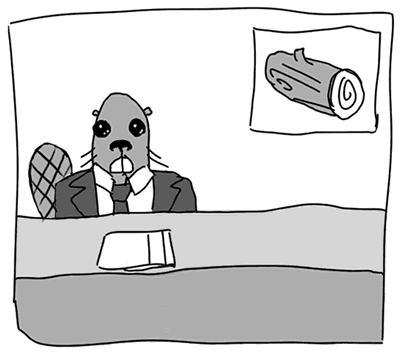
Beaver News

Beaver News

There has been a lot of talk lately about the quality of information available online. The debate has centered around “content farms”, such as Demand Media and the current incarnation of AOL (oops, sorry, Aol.). Kicking off this round was Michael Arrington, who wrote in a post titled The End of Hand Crafted Content:

On one end you have AOL and their Toyota Strategy of building thousand of niche content sites via the work of cast-offs from old media. That leads to a whole lot of really, really crappy content being highlighted right on the massive AOL home page….

On the other end you have Demand Media and companies like it. See Wired’s “Demand Media and the Fast, Disposable, and Profitable as Hell Media Model.” The company is paying bottom dollar to create “4,000 videos and articles” a day, based only on what’s hot on search engines. They push SEO juice to this content, which is made as quickly and cheaply as possible, and pray for traffic. It works like a charm, apparently.

These models create a race to the bottom situation, where anyone who spends time and effort on their content is pushed out of business.

Journalism professor Jeff Jarvis thinks that decrying the lowering of information standards online rather misses the point.

They may be right. But then again, the internet has always been filled with crap. So the challenge has always been how you find the cream. That’s where opportunities lie. That’s what Google saw. The new question is whether Google can keep ahead of the content farms and continually find new and better ways to find better stuff. I’ll bet on Google over crap-creators. But they better get cracking.

I see three rings of discovery today: search (Google); algorithms (see: Google News, Daylife); and humans (see: Twitter)…. As search becomes more personal and no longer universal, SEO as a dark art and as the fertilizer for content farms will diminish and the social graph — our own circles of authority — will become more important in search as well. So I have faith that there are solutions to stem any rising tide of crap.

The rise of hyper-local media taps directly into Jarvis’ third ring of discovery: humans.  In these systems, there are a couple of routes by which content (e.g. a blog post, podcast or video) might be generated. Either someone takes it upon themselves to produce something of interest to them, in which case they have a vested interest in its quality, or content is produced upon request and there is a visible relationship between the producer and consumer. In either scenario, high quality, individualized content can be the result and in a local community of readers, it can be easily discovered.

Doc Searls, in his brilliantly titled post, The Revolution Will Not Be Intermediated (us oldsters get the reference), also suggests that we are not the slaves to media manipulation that some fear. He doubts that “fast food content” is going to shut down quality writing, any more than McDonald’s stifles serious chefs.

Nothing with real real value is dead, so long as it can be found on the Web and there are links to it. Humans are the ones with hands. Not intermediaries. Not AOL, or TechCrunch, or HuffPo, or Google or the New York Freaking Times. The Net is the means to our ends, not The Media, whether they be new disruptors or old disruptees. The Net and the Web liberate individuals. They welcome intermediators, but they do not require them. Even in cases were we start with intermediation — and get to use really good ones — what matters most is what each of us as individuals bring to the Net’s table. Not the freight system that helps us bring it there, no matter how established or disruptive that system is.

The intermediaries who hope to manipulate our online habits are smart, powerful and well funded. However at this point in time, they rely on massive amounts of generalized data (statistics) for their models to work. The smaller the group, the less well targeted it can be. So, by building personal networks and using sites that cater to our communities (either geographical or ideological), we strengthen the web and feed the demand for high quality, relevant and personal information.

Update: ReadWriteWeb has posted Jay Rosen’s interview with Richard Rosenblatt, the founder and CEO of Demand Media. Read it here.

Image by WickedSunshine.com (NSFW)

On the

other end you have Demand Media and companies like it. See Wired’s “Demand Media and the Fast, Disposable, and Profitable as Hell Media Model.” The company is paying bottom dollar to create “4,000 videos and articles” a day, based only on what’s hot on search engines. They push SEO juice to this content, which is made as quickly and cheaply as possible, and pray for traffic. It works like a charm, apparently.

These models create a race to the bottom situation, where anyone who spends time and effort on their content is pushed out of business.

Technology Tagged: AOL, content farm, Demand Media, Doc Searls, hyperlocal, Jeff Jarvis, Michael Arrington

Who cares about your project?

November 24, 2009 By Greg Falken 5 Comments

Harvey Chess

Harvey Chess

I recently spent two days in a grant proposal writing workshop with Harvey Chess, of The FTF Group. Harvey is very well known in the non-profit community around California and now I can see why. I gained an appreciation of the granting process that I never had before, partly because I had no particular need of it before. Now however, I’m gearing up to begin work on the Community Access Internet Project and I anticipate that it will be using grant money, hopefully lots of grant money. While trying to absorb as much as possible in two very full days, I became aware of parallels between Harvey’s approach to grant writing and what I have come to know about software and web development projects.

Know the difference between the means and the end

A theme that wove its way throughout the two days was reflective of what you hear quite often in social media circles: Focus outward; the outcome for the people you are trying to serve is more important than the project itself. To paraphrase Chris Brogan in this context, nobody cares about your stupid project. The people who participate and how they will benefit, now that’s something to care about.

If the end-user’s not happy, nobody’s happy

Trying to write a winning proposal without input from those who will participate in the program is like designing an application without talking to the people who will use it. That’s not to say that this is never done; it is, a lot. But it usually means that the project will later need to be rethought.

Avoid circular logic

It’s tempting to propose that the benefit to people participating in the program is that they have participated in the program. Remember that benefits don’t accrue until after the program has been completed and some positive change has taken place in people’s lives.

Your organization is the proposal

This is probably Harvey’s central message and you can just as easily substitute “product” or “service” for “proposal”. What it means is that you have to know what you’re about. Unless an organization understands its mission, it’s goals, its raison d’être, it will not be able to successfully raise money. Understanding, in this case, means achieving consensus around these goals and then getting them down on paper.

Consider the following questions about your program (or product or service) and whether or not your organization can answer them clearly:

  • Who are the participants for the project?
  • What are the circumstances, situations or challenges that lead us to want to undertake the project?
  • What are the consequences (outcomes) of a successful project?
  • What will the effects be for project participants and for others in the community?

These are hard questions and I don’t yet know the answers to them in my own case. I also realize that I’m unlikely to be able to answer them by simply sitting down and thinking real hard. It will take working with others in our community to develop an understanding of what we hope to achieve. It’s a daunting task but one that I look forward to pursuing.

Technology Tagged: grants, Harvey Chess, organization

Teaching Digital Literacy

November 16, 2009 By Greg Falken 1 Comment

Digital Literacy

The Scottish Executive, in 2001, defined adult literacy as, “The ability to read and write and use numeracy to handle information, to express ideas and opinions, to make decisions and solve problems, as family members, workers, citizens and lifelong learners.”

Pete Ashton writes on his blog ASH-10:

Digital literacy means being able to take digital stuff [and] make new things with it, just as literacy means taking words and making new sentences with them. Literacy is about understanding the rules of a thing so that they can be worked within or broken as applicable. It’s about making the world our own. This is why we teach reading and writing to children, not so that they can fill out forms or write tedious reports, but that they might question and understand the world in which they live in.

So, what should people know in order to be digitally literate? If we’re going to teach it like a class, what is the curriculum? Most importantly, how can we move away from rote learning of “computer skills” towards understanding the “rules of the thing”.

There are no courses like this in my local community college catalog but here are a few I’d like to see:

Web Browsers – History and Development

For many people, the World Wide Web and the Internet are synonymous. The web browser is the software through which we experience the web. In this course, we will learn the purpose of the web browser and its function in the online experience. We will also explore its history, from the early days of Mosaic (the first Internet-connected software to display images inline with text), through the rise of Internet Explorer and Netscape, to today’s modern Firefox and Chrome browsers.

Cloud Computing and the Rise of Online Applications

Traditionally, software applications and the data they produce have been stored on computers under our desk, on our lap or in the server closet down the hall. This arrangement provided us with quick and easy access to our own data and the illusion of greater control over the applications themselves. With the rise of ubiquitous Internet access both at home and in the workplace, the availability of applications that are accessed online (“in the cloud”) has skyrocketed. From communications and collaboration tools like Google’s suite of programs, to graphic production, accounting and games, nearly any application you can buy in a box can also be found online. In this course, we will examine the potentials and pitfalls of cloud computing, including:
  • Security
  • Reliability
  • Collaboration
  • Costs
  • Data portability
  • Future trends

And once the programs have moved to the cloud, why not move the computers there too? Cloud computing also encompasses the outsourcing of hardware, eliminating the need for a closet full of servers.

The Hyperlink

Hyperlinks subvert hierarchies – David Weinberger

The term hyperlink was coined in 1965 by Ted Nelson, the founder of Project Xanadu, at Harvard University. Nelson hoped to facilitate non-sequential writing, in which the reader could choose their own path through a document. Project Xanadu was largely abandoned by 1989, when the English physicist Sir Tim Berners-Lee wrote a proposal for what would become the World Wide Web, a system of interlinked pages, housed on the Internet and navigated using hyperlinks.

The hyperlink is a radically different way of connecting people to information. In this course, we examine the effects of organizing information in a non-hierarchical system.

Evaluating Online Information

True or false?

SECURITY ALERT: $32,000 worth of UPS uniforms have been purchased over the last 30 days by person(s) unknown. Law enforcement is working on the case however no suspect(s) have been indentified (sic). Subjects may try to gain access by wearing one of these uniforms. If anyone has suspicions about a UPS delivery (i.e., no truck but driver, no UPS identification, etc., contact UPS to verify employment).

Assessing the accuracy of information found online is not always easy. This course draws on the journalistic tradition of verifying sources and establishing their trustworthiness. By considering factors such as verifiability, transparency, relevance, bias, clarity and validity, we can evaluate which online sources to believe and which to ignore.

Online Writing

It seems like everyone online suffers from ADOBSO (Attention Deficit Ooh…Bright Shiny Object), so how do we write in a way that captures their interest? This course looks at online comprehension studies to find effective writing styles. We will also practice writing for various online venues including blogs, web pages, Wikipedia, forums, emails and Twitter.

Syndication and Federation

Release your content into the wild using syndication. Share functionality with other online services using federation. This course examines the current state of machine-to-machine communication on the Internet and how users and site operators can leverage these connections. Technologies covered include RSS, oAuth, Facebook Connect, Friend Connect and Google Wave.

Wordle by Doug Belshaw.

Education, Technology Tagged: browser, cloud computing, education, hyperlink, literacy

Making it Easy, Making it Hard

October 29, 2009 By Greg Falken Leave a Comment

The finished product

The finished product

So, there I was working happily away when, for no particular reason, the power went out. Feeling very superior for having an uninterruptible power supply, I continued on for a few minutes until it was clear that this wasn’t a momentary blip. I then shut my computer down normally and went to read a book. A little while later the power came back on (good thing too – those chirping UPS’s were driving me crazy) and I began powering everything back up. When I switched the computer on, the first thing I noticed was that the CPU fan was running abnormally fast and loud. Second, none of the front panel lights came on and third, the monitors stayed stubbornly blank. When a computer won’t even start to boot, it’s usually a bad sign.

Long story short (and believe me, I’m leaving out a lot), the motherboard had failed and needed to be replaced. This was confirmed on a Friday and there are no computer shops in our little berg of Sonora that are open on the weekend. Luckily, my friend Steve Finigian, of Sierra Network Services was down in Southern California and agreed to drop by a Fry’s and pick up a new motherboard and CPU (just in case) for me. He delivered these on Sunday afternoon and two days later, I had a working computer again.

Along the way, there were some things that made the job easier and others that left me scratching my head and wondering, what were they thinking? Here are a few of the things that made it easy or hard for me to accomplish the fairly complex task of bringing my computer back to life.

Hard. While I was still diagnosing the problem, I thought I’d contact Acer tech support to ask what my symptoms might indicate. Because my system was about 6 weeks out of warranty (natch), all I received was a polite email informing me that their sagacious advice was available at a rate of $60 per half hour. They also provide no forum, wiki or other community platform for their customer’s to exchange information.

Easy. I posted the question that I would have put to Acer on Aardvark and within five minutes was chatting (on IM) with a fairly knowledgeable person who made some good suggestions. They turned out to be wrong (he thought it was a bad power supply) but he wasn’t alone in thinking along those lines.

Hard. The manual for the Termaltake power supply contains tables with headings written in white type on a light gray background. Yes, I’m old and don’t see as well as I used to but really…

Easy. Thanks to the ATX standard, designed by Intel in the mid-90s, All of the power connectors on motherboards are standardized, so you can’t plug anything in the wrong place or backwards.

Hard. Acer chose to use a power supply that is barely adequate (250w) in what is sold as a business-class computer. Even though it seemed to still work, I chose to replace it with the more robust (450w) Thermaltake.

Hard. The pin connectors inside the Acer case are unlabeled and didn’t appear to match the pin blocks on the motherboard. Rather than struggle with it, I pulled everything out of an old mid-tower case that I had and used that.

Easy. Old mid-tower cases are roomy and well labeled, if ugly.

Hard. MSI motherboard manual pin block diagrams are illustrated from a strange perspective; sort of above and to the right. Hard to read (these old eyes again).

Hard. Mircosoft treats changing motherboards as if you’ve changed computers and so requires that you re-activate Windows.

Easy. The system for re-activating Windows over the phone is actually pretty slick. Voice recognition and clear input screens made the operation painless.

Easy. The answer to nearly every question I had during the entire process was available online. In almost every case, they came from people, not companies. They came in the form of forums, blog posts and instant messages, all tied together by search engines. It’s a pretty amazing time that we live in.

Technology is a complex thing. Replacing a motherboard or building a dynamic web site or producing a videocast requires a lot of thought and prior knowledge. Most people recognize this (to those who say, “it’s not rocket science”, I reply, “you’re right, it’s computer science”). We need to remove the little stumbling blocks, like too-small type, at every possible step. This should be the task of everyone connected to technical endeavors. For those of us who already have a certain level of knowledge, this is hard to remember but I promise to try.

Technology Tagged: Aardvark, Acer, Microsoft, MSI, Thermaltake

« Previous Page
Next Page »

Stay in touch

Sign up to receive occasional email updates, including new blog posts.

As a web developer since 1995, I find my attention increasingly drawn to the intersection of computers, the Internet, communication and education. On this blog, I indulge my interest in these and several other topics. I hope you find them interesting too. Read More…

  • LinkedIn
  • RSS
  • Twitter
  • YouTube

Recent Posts

3 Words for 2021

January 1, 2021 by Greg Falken Leave a Comment

The message we should be hearing about masks: An aviation parable

October 24, 2020 by Greg Falken Leave a Comment

3 Words for 2020

January 1, 2020 by Greg Falken Leave a Comment

3 Words for 2019

January 1, 2019 by Greg Falken Leave a Comment

3 Words for 2018

January 1, 2018 by Greg Falken Leave a Comment

Latest Tweets

  • Just now
  • More on Twitter

Search

Tag Cloud

3 Words Aardvark audio bluetooth Chris Brogan Chrome computer contract Crazy Ivan education FCC flying Google google nexus home hyperlocal IndieWeb learning mobile mp3 music mvno net neutrality Network Sierra paleo phone politics posse primal programming QR code Rick Foster Sharon Crost sim skellie social media sonora Strawberry three words Tom Maguire Tuolumne twitter video WordPress writing

Return to top of page
Copyright © 2009–2026 · Website by Webdancers · Log in