
• Home
  • About
  • Webdancers
  • Contact

GregFalken.com

Thoughts on humanizing technology

  • Technology
  • At Home
  • Music and the Arts
  • Education
  • Notes

Who cares about your project?

November 24, 2009 By Greg Falken 5 Comments

Harvey Chess

Harvey Chess

I recently spent two days in a grant proposal writing workshop with Harvey Chess, of The FTF Group. Harvey is very well known in the non-profit community around California and now I can see why. I gained an appreciation of the granting process that I never had before, partly because I had no particular need of it before. Now however, I’m gearing up to begin work on the Community Access Internet Project and I anticipate that it will be using grant money, hopefully lots of grant money. While trying to absorb as much as possible in two very full days, I became aware of parallels between Harvey’s approach to grant writing and what I have come to know about software and web development projects.

Know the difference between the means and the end

A theme that wove its way throughout the two days was reflective of what you hear quite often in social media circles: Focus outward; the outcome for the people you are trying to serve is more important than the project itself. To paraphrase Chris Brogan in this context, nobody cares about your stupid project. The people who participate and how they will benefit, now that’s something to care about.

If the end-user’s not happy, nobody’s happy

Trying to write a winning proposal without input from those who will participate in the program is like designing an application without talking to the people who will use it. That’s not to say that this is never done; it is, a lot. But it usually means that the project will later need to be rethought.

Avoid circular logic

It’s tempting to propose that the benefit to people participating in the program is that they have participated in the program. Remember that benefits don’t accrue until after the program has been completed and some positive change has taken place in people’s lives.

Your organization is the proposal

This is probably Harvey’s central message and you can just as easily substitute “product” or “service” for “proposal”. What it means is that you have to know what you’re about. Unless an organization understands its mission, it’s goals, its raison d’être, it will not be able to successfully raise money. Understanding, in this case, means achieving consensus around these goals and then getting them down on paper.

Consider the following questions about your program (or product or service) and whether or not your organization can answer them clearly:

  • Who are the participants for the project?
  • What are the circumstances, situations or challenges that lead us to want to undertake the project?
  • What are the consequences (outcomes) of a successful project?
  • What will the effects be for project participants and for others in the community?

These are hard questions and I don’t yet know the answers to them in my own case. I also realize that I’m unlikely to be able to answer them by simply sitting down and thinking real hard. It will take working with others in our community to develop an understanding of what we hope to achieve. It’s a daunting task but one that I look forward to pursuing.

Technology Tagged: grants, Harvey Chess, organization

Teaching Digital Literacy

November 16, 2009 By Greg Falken 1 Comment

Digital Literacy

The Scottish Executive, in 2001, defined adult literacy as, “The ability to read and write and use numeracy to handle information, to express ideas and opinions, to make decisions and solve problems, as family members, workers, citizens and lifelong learners.”

Pete Ashton writes on his blog ASH-10:

Digital literacy means being able to take digital stuff [and] make new things with it, just as literacy means taking words and making new sentences with them. Literacy is about understanding the rules of a thing so that they can be worked within or broken as applicable. It’s about making the world our own. This is why we teach reading and writing to children, not so that they can fill out forms or write tedious reports, but that they might question and understand the world in which they live in.

So, what should people know in order to be digitally literate? If we’re going to teach it like a class, what is the curriculum? Most importantly, how can we move away from rote learning of “computer skills” towards understanding the “rules of the thing”.

There are no courses like this in my local community college catalog but here are a few I’d like to see:

Web Browsers – History and Development

For many people, the World Wide Web and the Internet are synonymous. The web browser is the software through which we experience the web. In this course, we will learn the purpose of the web browser and its function in the online experience. We will also explore its history, from the early days of Mosaic (the first Internet-connected software to display images inline with text), through the rise of Internet Explorer and Netscape, to today’s modern Firefox and Chrome browsers.

Cloud Computing and the Rise of Online Applications

Traditionally, software applications and the data they produce have been stored on computers under our desk, on our lap or in the server closet down the hall. This arrangement provided us with quick and easy access to our own data and the illusion of greater control over the applications themselves. With the rise of ubiquitous Internet access both at home and in the workplace, the availability of applications that are accessed online (“in the cloud”) has skyrocketed. From communications and collaboration tools like Google’s suite of programs, to graphic production, accounting and games, nearly any application you can buy in a box can also be found online. In this course, we will examine the potentials and pitfalls of cloud computing, including:
  • Security
  • Reliability
  • Collaboration
  • Costs
  • Data portability
  • Future trends

And once the programs have moved to the cloud, why not move the computers there too? Cloud computing also encompasses the outsourcing of hardware, eliminating the need for a closet full of servers.

The Hyperlink

Hyperlinks subvert hierarchies – David Weinberger

The term hyperlink was coined in 1965 by Ted Nelson, the founder of Project Xanadu, at Harvard University. Nelson hoped to facilitate non-sequential writing, in which the reader could choose their own path through a document. Project Xanadu was largely abandoned by 1989, when the English physicist Sir Tim Berners-Lee wrote a proposal for what would become the World Wide Web, a system of interlinked pages, housed on the Internet and navigated using hyperlinks.

The hyperlink is a radically different way of connecting people to information. In this course, we examine the effects of organizing information in a non-hierarchical system.

Evaluating Online Information

True or false?

SECURITY ALERT: $32,000 worth of UPS uniforms have been purchased over the last 30 days by person(s) unknown. Law enforcement is working on the case however no suspect(s) have been indentified (sic). Subjects may try to gain access by wearing one of these uniforms. If anyone has suspicions about a UPS delivery (i.e., no truck but driver, no UPS identification, etc., contact UPS to verify employment).

Assessing the accuracy of information found online is not always easy. This course draws on the journalistic tradition of verifying sources and establishing their trustworthiness. By considering factors such as verifiability, transparency, relevance, bias, clarity and validity, we can evaluate which online sources to believe and which to ignore.

Online Writing

It seems like everyone online suffers from ADOBSO (Attention Deficit Ooh…Bright Shiny Object), so how do we write in a way that captures their interest? This course looks at online comprehension studies to find effective writing styles. We will also practice writing for various online venues including blogs, web pages, Wikipedia, forums, emails and Twitter.

Syndication and Federation

Release your content into the wild using syndication. Share functionality with other online services using federation. This course examines the current state of machine-to-machine communication on the Internet and how users and site operators can leverage these connections. Technologies covered include RSS, oAuth, Facebook Connect, Friend Connect and Google Wave.

Wordle by Doug Belshaw.

Education, Technology Tagged: browser, cloud computing, education, hyperlink, literacy

Pining for Gold – a quick digital thinking exercise

November 3, 2009 By Greg Falken 2 Comments

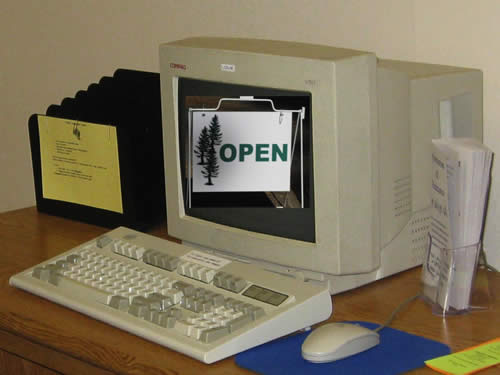
Open for business

Guest post by Sharon Crost, cross-posted on the Network Sierra blog.

Let’s do a quick thinking exercise: think for a few seconds about the Central Sierra.  Do you think of history and the Gold Rush and panning for gold? Or do you think of Yosemite National Park, Bear Valley or Dodge Ridge, tasting wine, jumping frogs, or enjoying the outdoors?  Well some of us who have come to the Central Sierra post-Gold Rush think that the Central Sierra is a gorgeous place to work and live and play.  It’s so livable in a way, but in a way not at all.  Because about 40% of the people who reside in the Central Sierra don’t have access to high speed internet, called “broadband”.

So now let’s think for a few seconds about dial-up internet connection.  Do you know, or remember what it’s like to dial up to the internet via modem?  Similar to the Gold Rush, you may think of this as ancient history? The internet is now celebrating its 40th birthday, but a significant portion of our Central Sierra community is STILL connecting to the internet in it’s adolescent connection form, via dial-up.

Now think about what it means to peddle on dial-up while your neighbors are racing on the super highway.   You can’t participate in everyday applications such as watching videos, downloading files, takes classes via distance learning, manage your health, transact business online or communicate with your family.    Surprisingly, while you are peddling on dial-up, your mates in many third world economies are connecting and thriving.   Broadband access means economic and job development, telehealth, communication, education, environmental sustainability and a future for youth that want to stay and thrive in rural communities.

Clearly we need ubiquitous access to broadband, and the Central Sierra and many other rural communities are on the losing side of the digital equality access game.    So I’m part of a group of crusaders working to reduce the digital divide in rural communities.  You can help too.  You can help create a new history for rural communities.  You’ve already been thinking about the issue for the last few precious seconds and one of the great advantages of ubiquitous broadband is that it gives everyone an equal voice.   In fact, Network Sierra’s Community Access project is an excellent example of project planning to assist a community to create and engage in local issues and news and information and entertainment and art, enabled by broadband.  Stay tuned to this blog and check out the Central Sierra Connect project or the California Emerging Technologies Fund for more information and to take action.

Oh, and there’s one final thing to think about in this exercise… think about the reality of high-speed connection throughout the Central Sierra, in rural communities as in big cities, everywhere.  Communities prospecting for gold on an equal playing field, engaging and thriving.  It’s a thought as good as gold.

Sharon Crost is an educator and a consultant mentoring leaders to develop thriving communities.    She tweets as mktwow and can be contacted at [email protected]

At Home Tagged: broadband, Central Sierra, Network Sierra, Sharon Crost

Making it Easy, Making it Hard

October 29, 2009 By Greg Falken Leave a Comment

The finished product

The finished product

So, there I was working happily away when, for no particular reason, the power went out. Feeling very superior for having an uninterruptible power supply, I continued on for a few minutes until it was clear that this wasn’t a momentary blip. I then shut my computer down normally and went to read a book. A little while later the power came back on (good thing too – those chirping UPS’s were driving me crazy) and I began powering everything back up. When I switched the computer on, the first thing I noticed was that the CPU fan was running abnormally fast and loud. Second, none of the front panel lights came on and third, the monitors stayed stubbornly blank. When a computer won’t even start to boot, it’s usually a bad sign.

Long story short (and believe me, I’m leaving out a lot), the motherboard had failed and needed to be replaced. This was confirmed on a Friday and there are no computer shops in our little berg of Sonora that are open on the weekend. Luckily, my friend Steve Finigian, of Sierra Network Services was down in Southern California and agreed to drop by a Fry’s and pick up a new motherboard and CPU (just in case) for me. He delivered these on Sunday afternoon and two days later, I had a working computer again.

Along the way, there were some things that made the job easier and others that left me scratching my head and wondering, what were they thinking? Here are a few of the things that made it easy or hard for me to accomplish the fairly complex task of bringing my computer back to life.

Hard. While I was still diagnosing the problem, I thought I’d contact Acer tech support to ask what my symptoms might indicate. Because my system was about 6 weeks out of warranty (natch), all I received was a polite email informing me that their sagacious advice was available at a rate of $60 per half hour. They also provide no forum, wiki or other community platform for their customer’s to exchange information.

Easy. I posted the question that I would have put to Acer on Aardvark and within five minutes was chatting (on IM) with a fairly knowledgeable person who made some good suggestions. They turned out to be wrong (he thought it was a bad power supply) but he wasn’t alone in thinking along those lines.

Hard. The manual for the Termaltake power supply contains tables with headings written in white type on a light gray background. Yes, I’m old and don’t see as well as I used to but really…

Easy. Thanks to the ATX standard, designed by Intel in the mid-90s, All of the power connectors on motherboards are standardized, so you can’t plug anything in the wrong place or backwards.

Hard. Acer chose to use a power supply that is barely adequate (250w) in what is sold as a business-class computer. Even though it seemed to still work, I chose to replace it with the more robust (450w) Thermaltake.

Hard. The pin connectors inside the Acer case are unlabeled and didn’t appear to match the pin blocks on the motherboard. Rather than struggle with it, I pulled everything out of an old mid-tower case that I had and used that.

Easy. Old mid-tower cases are roomy and well labeled, if ugly.

Hard. MSI motherboard manual pin block diagrams are illustrated from a strange perspective; sort of above and to the right. Hard to read (these old eyes again).

Hard. Mircosoft treats changing motherboards as if you’ve changed computers and so requires that you re-activate Windows.

Easy. The system for re-activating Windows over the phone is actually pretty slick. Voice recognition and clear input screens made the operation painless.

Easy. The answer to nearly every question I had during the entire process was available online. In almost every case, they came from people, not companies. They came in the form of forums, blog posts and instant messages, all tied together by search engines. It’s a pretty amazing time that we live in.

Technology is a complex thing. Replacing a motherboard or building a dynamic web site or producing a videocast requires a lot of thought and prior knowledge. Most people recognize this (to those who say, “it’s not rocket science”, I reply, “you’re right, it’s computer science”). We need to remove the little stumbling blocks, like too-small type, at every possible step. This should be the task of everyone connected to technical endeavors. For those of us who already have a certain level of knowledge, this is hard to remember but I promise to try.

Technology Tagged: Aardvark, Acer, Microsoft, MSI, Thermaltake

Community Access Internet Project

October 27, 2009 By Greg Falken Leave a Comment

Internet Lounge
Working with a group of committed people here in Tuolumne County, I have submitted a proposal to the Knight News Challenge. Funded by the John S. and James L. Knight Foundation, the Challenge seeks innovations that use new or available technology to distribute content in local communities. There are only three rules:

  1. Use digital, open-source technology.
  2. Distribute news in the public interest.
  3. Test your project in a local community.

A description of the project follows. Please visit the application at the Knight News Challenge and add your comments and rate the project. Changes can be made to the application until the December 15th deadline and I welcome the chance to incorporate your suggestions.

Community Access Internet Project

Describe your project (max. 1800 characters)
The Community Access Internet Project (CAIP) provides web-based news and community information to rural areas. It draws on user-generated content and provides community education in the effective use of online media. The goal is nothing less than creating a community of digitally literate consumers and producers.

Should this project be funded, it will initially serve Tuolumne Co., CA (pop. ~50,000), located in the Central Sierras, 120 miles east of San Francisco. The county’s roots are in the gold rush of the 1850s and it has a rich historical character. Economically, the region struggles, with unemployment hovering around 13%.

Like community broadcasting (radio) and public access cable (TV) before it, participation is open to the entire community. However, CAIP goes beyond simply providing media access, by actively pursuing community outreach. CAIP provides classroom instruction and guidance on effective online communication, blogging, audio and video production and legal issues.

A paid core staff manages day to day operations and curates content, such as calendars of events, local news (road closures, snow days, fire information) and news features, including podcasts and videocasts. Featured content may be produced both by the core staff and “graduates” of the instructional programs. Blog space is openly available and public blog entries may be “promoted” to featured status by the core staff.

CAIP partners with other community organizations such as schools, libraries, news organizations, local government, service organizations, chambers of commerce, non-profits, etc.These organizations enhance the capabilities and reach of the project, bringing it to the attention of a broad cross-section of the community.

How will your project improve the way news and information are delivered to geographic communities? (max. 750 characters)
In our community, online information is isolated on numerous sites. CAIP provides technical assistance to the operators of these sites to syndicate their public content, making it available to any web site that wishes to republish it. Syndication will be a significant source of content for CAIP, without requiring any group to give up control of their own information.

The Community Access Internet Project provides a publishing platform for individuals and groups in the community. It provides an alternative source of online news, commentary and entertainment, produced locally and addressing the needs of the community. Because the featured areas of the site are curated, it can develop a reputation as a trustworthy and reliable news source.

How is your idea innovative? (new or different from what already exists) (max. 750 characters)
There are many existing variants of the community publishing platform. We plan to build on the best of these, with an emphasis on syndication and aggregation tools. Simply aggregating existing calendars of events will be an enormous benefit to the community.

The educational and community outreach component of this project makes it especially unique. During the initial planning phase, we will engage with the community to learn what information they want to have available online, tailoring the site to meet these needs. With a successful implementation in Tuolumne County, we hope to bring this model to other small, rural communities around the country.

What experience do you or your organization have to successfully develop this project? (max. 1600 characters)
As the submitter of this proposal, I have over 15 years of web development experience and a strong background in both communications and technology. My company, webdancers, was established in 1995 and has assisted in the development and marketing of hundreds of web sites. This experience however, brings to the table only a subset of the skills necessary to develop the Community Access Internet Project. For the rest, I turn to our community.

Network Sierra is a grassroots organization that includes individuals representing a wide range of community interests. Created in 2006, its goal is to use technology to bring our communities closer together and to maintain our rural character in a 21st century economy. We include technologists, arts organizers, educators, writers, marketers, local government officials and retirees. Network Sierra will serve as the parent body for CAIP. In the initial stages, another non-profit agency will act as Network Sierra’s fiscal agent, however we anticipate that Network Sierra will seek non-profit corporation status.

The Community Access Internet Project will be developed in consultation with a Network Sierra advisory board, which will hire the core staff and oversee the implementation of the programs described above.

Leveraging the skills and dedication available in our community, along with emerging social technology, CAIP gives voice to the many diverse groups in our region, providing them with both the training and a forum to speak clearly to their own communities and beyond.

Photo by Tom Magliery

Technology Tagged: community access, hyperlocal, Knight News Challenge, Network Sierra, Tuolumne

« Previous Page
Next Page »

Stay in touch

Sign up to receive occasional email updates, including new blog posts.

As a web developer since 1995, I find my attention increasingly drawn to the intersection of computers, the Internet, communication and education. On this blog, I indulge my interest in these and several other topics. I hope you find them interesting too. Read More…

  • LinkedIn
  • RSS
  • Twitter
  • YouTube

Recent Posts

3 Words for 2021

January 1, 2021 by Greg Falken Leave a Comment

The message we should be hearing about masks: An aviation parable

October 24, 2020 by Greg Falken Leave a Comment

3 Words for 2020

January 1, 2020 by Greg Falken Leave a Comment

3 Words for 2019

January 1, 2019 by Greg Falken Leave a Comment

3 Words for 2018

January 1, 2018 by Greg Falken Leave a Comment

Latest Tweets

  • Just now
  • More on Twitter

Search

Tag Cloud

3 Words Aardvark audio bluetooth Chris Brogan Chrome computer contract Crazy Ivan education FCC flying Google google nexus home hyperlocal IndieWeb learning mobile mp3 music mvno net neutrality Network Sierra paleo phone politics posse primal programming QR code Rick Foster Sharon Crost sim skellie social media sonora Strawberry three words Tom Maguire Tuolumne twitter video WordPress writing

Return to top of page
Copyright © 2009–2026 · Website by Webdancers · Log in