The Scottish Executive, in 2001, defined adult literacy as, “The ability to read and write and use numeracy to handle information, to express ideas and opinions, to make decisions and solve problems, as family members, workers, citizens and lifelong learners.”
Pete Ashton writes on his blog ASH-10:
Digital literacy means being able to take digital stuff [and] make new things with it, just as literacy means taking words and making new sentences with them. Literacy is about understanding the rules of a thing so that they can be worked within or broken as applicable. It’s about making the world our own. This is why we teach reading and writing to children, not so that they can fill out forms or write tedious reports, but that they might question and understand the world in which they live in.
So, what should people know in order to be digitally literate? If we’re going to teach it like a class, what is the curriculum? Most importantly, how can we move away from rote learning of “computer skills” towards understanding the “rules of the thing”.
There are no courses like this in my local community college catalog but here are a few I’d like to see:
Web Browsers – History and Development
For many people, the World Wide Web and the Internet are synonymous. The web browser is the software through which we experience the web. In this course, we will learn the purpose of the web browser and its function in the online experience. We will also explore its history, from the early days of Mosaic (the first Internet-connected software to display images inline with text), through the rise of Internet Explorer and Netscape, to today’s modern Firefox and Chrome browsers.
Cloud Computing and the Rise of Online Applications
- Security
- Reliability
- Collaboration
- Costs
- Data portability
- Future trends
And once the programs have moved to the cloud, why not move the computers there too? Cloud computing also encompasses the outsourcing of hardware, eliminating the need for a closet full of servers.
The Hyperlink
Hyperlinks subvert hierarchies – David Weinberger
The term hyperlink was coined in 1965 by Ted Nelson, the founder of Project Xanadu, at Harvard University. Nelson hoped to facilitate non-sequential writing, in which the reader could choose their own path through a document. Project Xanadu was largely abandoned by 1989, when the English physicist Sir Tim Berners-Lee wrote a proposal for what would become the World Wide Web, a system of interlinked pages, housed on the Internet and navigated using hyperlinks.
The hyperlink is a radically different way of connecting people to information. In this course, we examine the effects of organizing information in a non-hierarchical system.
Evaluating Online Information
True or false?
SECURITY ALERT: $32,000 worth of UPS uniforms have been purchased over the last 30 days by person(s) unknown. Law enforcement is working on the case however no suspect(s) have been indentified (sic). Subjects may try to gain access by wearing one of these uniforms. If anyone has suspicions about a UPS delivery (i.e., no truck but driver, no UPS identification, etc., contact UPS to verify employment).
Assessing the accuracy of information found online is not always easy. This course draws on the journalistic tradition of verifying sources and establishing their trustworthiness. By considering factors such as verifiability, transparency, relevance, bias, clarity and validity, we can evaluate which online sources to believe and which to ignore.
Online Writing
It seems like everyone online suffers from ADOBSO (Attention Deficit Ooh…Bright Shiny Object), so how do we write in a way that captures their interest? This course looks at online comprehension studies to find effective writing styles. We will also practice writing for various online venues including blogs, web pages, Wikipedia, forums, emails and Twitter.
Syndication and Federation
Release your content into the wild using syndication. Share functionality with other online services using federation. This course examines the current state of machine-to-machine communication on the Internet and how users and site operators can leverage these connections. Technologies covered include RSS, oAuth, Facebook Connect, Friend Connect and Google Wave.
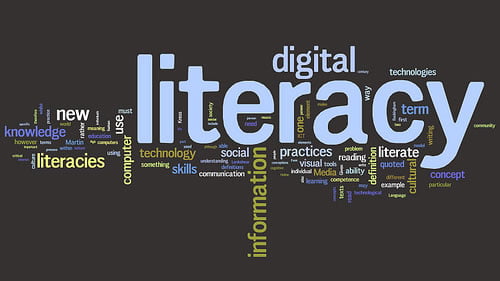
Wordle by Doug Belshaw.
Leave a Reply